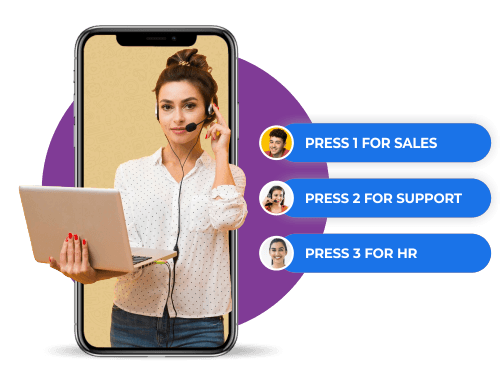
Why an inbound dialer beats a desk phone and a rota
A missed call is a lost customer
A missed call is a lost customer who does not call back. Most businesses discover this only when someone checks the log and finds how many calls rang out after six o'clock.
A cloud inbound dialer answers everything
Callers choose a department from an IVR menu, wait in a queue with an estimated time, or leave a voicemail that becomes a task rather than a message nobody hears.
Perfect for every calling need
Six capabilities covering the call from the first ring through to the follow-up message after it ends.

Custom IVR menu
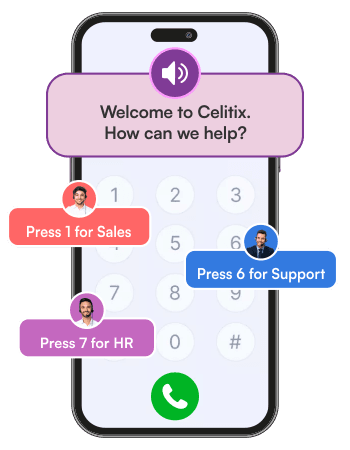
Design interactive menus to collect info and route calls to the right department in seconds.

24/7 call handling
Never miss a call. Handle, route, and record every inbound query, even outside working hours.

Agent visibility
Give agents full caller context with real-time CRM data for faster, more personalised responses.

Call queuing
Manage peak traffic with smart queues, estimated wait times, and optional voicemail fallback.

Post-call actions
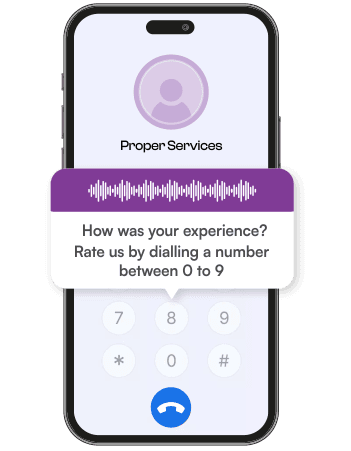
Trigger automatic follow-ups via messaging channels and log detailed feedback for every interaction.

Real-time analytics
Track key metrics like duration, resolution time, and caller satisfaction in one live dashboard.
Why choose the Celitix inbound dialer
A flexible, cloud-based solution to manage and route inbound calls smartly.

Built to scale
Handle any volume and connect to outbound dialer campaigns with customisable IVRs, call flows, and dynamic routing.

Robust integrations
Sync call data in real time with your CRM, helpdesk, or other systems for seamless customer handling.

Faster resolutions
Route calls by caller intent, customer profile, or urgency to cut both wait time and resolution time.
Make every call count
Switch to smarter inbound call handling with IVR, routing, and real-time insights.
Let callers choose who they speak to
How an IVR tree works in practice, and the three things that happen automatically once the call ends.
Create intelligent IVR trees
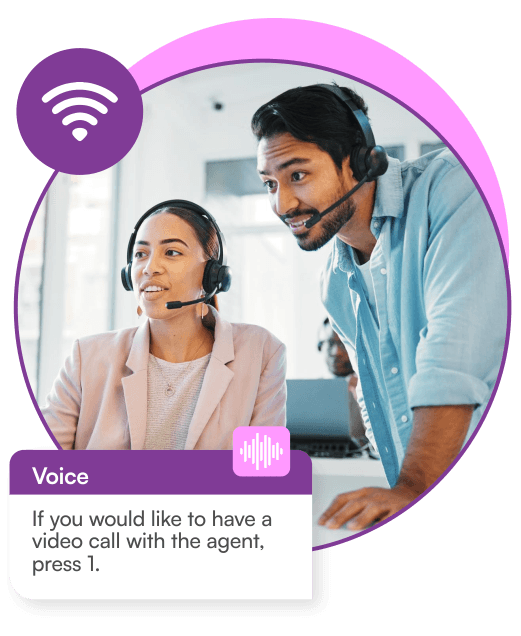
Create intelligent IVR trees that get customers where they need to be. From press 1 for sales to press 3 for refunds, guide every call to the right place without an operator in the middle.
Connect To The Right Person, Faster
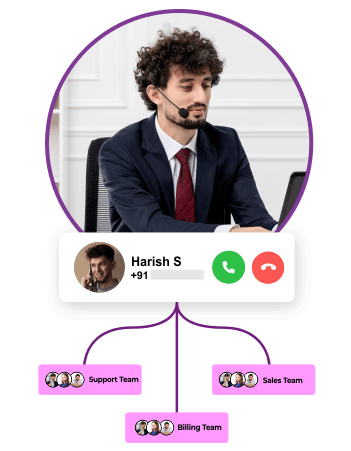
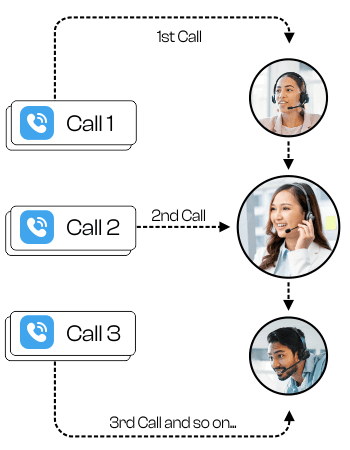
No more cold transfers or repeated holds. Connect incoming calls to the most relevant, available agent in real-time, based on your chosen routing logic. It’s routing that respects everyone’s time.
Every Insight, Captured
Record every conversation, inbound or transferred, for training, compliance, or quality checks. Get detailed call logs, durations, hold times, and agent performance metrics in one place.

Log customer information automatically
Log customer information and past calls into your system automatically.
Trigger follow-up messages
Trigger emails, SMS, or WhatsApp after each inbound call.
Avoid dropped calls
Avoid dropped calls by offering queue status or voicemail fallback.
IVR use cases for business
Four places an IVR removes work rather than adding a menu people resent listening to.
Department routing
The standard case. Sales, support, and accounts each get their own option, so a billing query never reaches a salesperson who cannot answer it.
After-hours handling
Out-of-hours callers hear the opening times, choose to leave a voicemail, or get an SMS with a callback link, instead of an unanswered ring, the same way missed call services capture the enquiry.
Self-service lookups
Balance checks, order status, and appointment confirmation handled inside the IVR, which removes the highest-volume and lowest-value calls from the queue entirely.
Overflow at peak
When every agent is busy, callers hear their position and estimated wait rather than a dead line, which is the difference between waiting and abandoning.
Cloud telephony without the hardware
What changes when the phone system moves off a box in your office and onto the same account as your messaging.
No exchange to buy or maintain
Cloud telephony India businesses run on Celitix needs no PBX, no lines, and no engineer visit to add an extension.
Numbers that follow the business
Use toll-free, local, or international numbers, and change routing from a dashboard rather than a service request.
One account with your messaging
Follow a call with click to call or a WhatsApp message from the full CPaaS platform, so the conversation continues instead of ending at hang-up.
Reporting you can act on
Call volume, wait time, abandonment, and resolution in one view, per number and per agent, without exporting anything.
Smarter calls, better customer experience
Secure, Flexible, and User Experience-friendly
Log customer info and past calls into your system automatically.
Trigger emails, SMS, or WhatsApp after each inbound call.
Avoid dropped calls by offering queue status or voicemail fallback.
Use every channel from one account



Smarter calls, better customer experience
Enhance support with reliable inbound call flows, smart routing, and real-time tracking.
Inbound dialer FAQs
An inbound dialer is a cloud system that answers, routes, and records incoming customer calls using IVR menus and routing logic. It replaces a physical exchange, so calls reach the right person whether your team is in an office, at home, or spread across cities.
Yes. The inbound dialer service is built to scale with queueing, estimated wait times, and voicemail fallback, so a spike in calls does not become a wall of engaged tones. Capacity is a setting rather than a hardware purchase. See Celitix voice and messaging channels.
Yes. As an IVR service provider India businesses can port into, Celitix supports toll-free, local, and international numbers. Routing rules are configured per number, so different campaigns or locations can behave differently on the same account.
Yes. Enable 24/7 routing, out-of-hours IVR messages, and voicemail capture. An after-hours voicemail can trigger a task and an SMS to the caller, so it is handled rather than discovered later.
Every call is logged, tracked, and connected to the customer record through the API. Agents see caller history before they answer, and call outcomes write back, so the CRM reflects what happened on the phone, the same as integrations with your CRM on every other channel.
Yes. Trigger an SMS, an email, or a WhatsApp message after a call, or assign an agent automatically. Most of the value in an inbound call sits in what happens after it, and this is where it is captured.
An inbound call center solution adds workforce management, quality monitoring, and agent scripting on top. The inbound dialer covers answering, routing, queueing, and logging, which is what most businesses under fifty agents actually need.